Support
Welcome to the A-Cube API support page. Here you'll find resources to help you get started and resolve any issues.
The new Ticketing service integrated into the A-Cube Dashboard is now officially available. This update is part of our commitment to providing you with faster, more structured and transparent technical support. Thanks to the new system, you can monitor the status of your tickets in real time and view the history of each request.
How to access the service
You can submit and manage your tickets directly from the A-Cube Dashboard by clicking on the Helpdesk icon in the top right-hand corner.
The service is accessible only from the main A-Cube customer account; sub-accounts do not have access to this feature.
Key dates and transition
To ensure a smooth transition, we have planned a transition phase:
From 7 April: from this date, the address support@a-cube.io will no longer be active for receiving new reports.
Pending requests: don't worry about requests already sent by email that are still in progress! They will be automatically transferred and managed in the new ticketing system without any action required on your part.
How the process works
Access the system from the A-Cube dashboard via the link in the top right-hand corner:
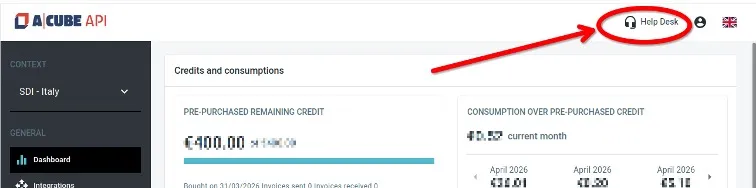
You will see a list of tickets and their essential details:

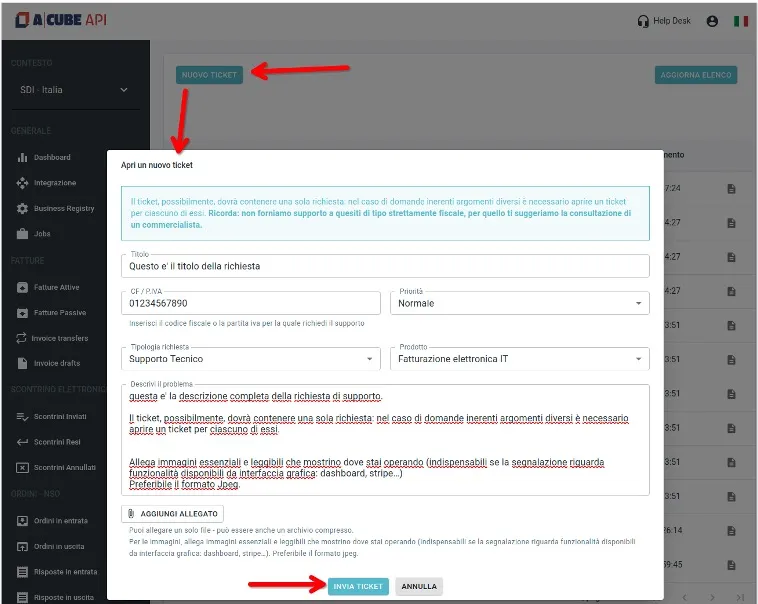
You can open a new ticket by clicking the button
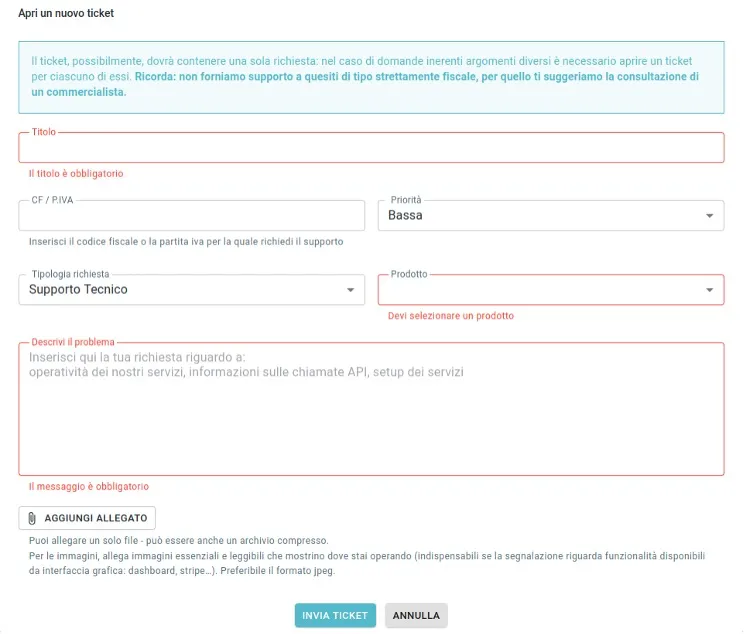
Mandatory fields will be highlighted in red if left blank:
This is the interface for communication between the helpdesk and the customer. Type your message to the support team, confirm it, and send it by clicking the 'Reply' button.
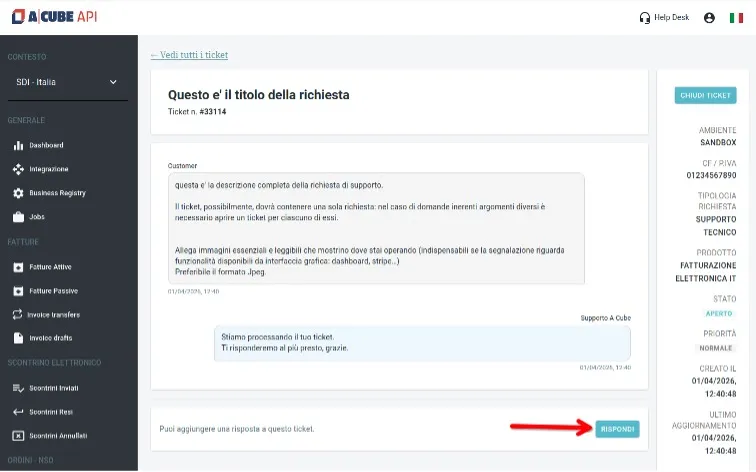
A ticket can also be closed by the user themselves.
