Other ways to onboard a Legal Entity
Besides starting the onboarding in A-Cube, a company can also start it on its own, directly in VPDS, the Tax Authority's application where a company chooses its e-invoicing provider.
Starting the onboarding in A-Cube is the preferred way: the company can exchange documents as soon as the representative completes VPDS, and you can follow its status from the start. To compare the two ways, see Choose how to start.
These steps refer to the production environment.
Before you start
Share this section with your customer: the person who completes VPDS needs all of the following.
A Finančná správa account
The representative needs a personal account on the Portál finančnej správy (PFS), the Tax Authority's portal, with access to its Osobná internetová zóna (OIZ), the personal area of the portal.
If the representative doesn't have one yet, they must register on the portal first. VPDS uses this account to know which companies the representative can act for.
A DIČ assigned to the company
The company must have a DIČ (tax identification number) assigned by the Tax Authority. VPDS does not let the representative choose a company without one.
The DIČ must be the same one registered in A-Cube as taxId.
The right to act for the company
In VPDS, the representative can only choose the companies they are allowed to act for in the PFS. This right comes from one of:
- autorizácia (authorization), for example as statutory representative, authorised person or procurator;
- zastupovanie (representation), when another company, such as an accounting firm, acts for the company;
- nástupníctvo (succession).
If the company is missing in VPDS, the representative can ask for this right in the OIZ, in the Autorizácie a zastupovania section, with Žiadosť o autorizáciu (authorization request) or Žiadosť o zastupovanie (representation request). The request must be signed electronically (KEP or ZdEP). An authorised person should also attach the power of attorney, if the tax office doesn't have it already. The tax office then approves or rejects the request, and the representative receives an email with the result. This can take some time, so we suggest checking it before starting the onboarding.
A way to sign in
The representative can sign in to VPDS in two ways:
- Prostredníctvom portálu slovensko.sk (through the slovensko.sk portal), with:
- a Slovak identity card with chip (eID) or a residence card with chip;
- the Slovensko v mobile app;
- a Mobilné eID (MeID);
- an electronic identity issued in another EU country (option Prihlásiť sa pomocou iného európskeho dokladu).
- Identifikátor a heslo (user ID and password) of the PFS account.
Signing in through slovensko.sk, also with an eID from another EU country, still requires a PFS account: the eID only proves who the representative is.
Contact details of the company
In VPDS, the representative enters an email address and a phone number for the company. The phone number must be in international format, for example +421 9xx xxx xxx for a mobile number.
Start the onboarding in VPDS
The company representative goes to VPDS on their own, at vpds.financnasprava.sk, and chooses A-Cube S.r.l. as provider. The onboarding is completed only when the Legal Entity is also registered in A-Cube, with the same DIČ.
If the company is not an A-Cube customer yet, it must first sign a contract with A-Cube, or with a provider that works with A-Cube. Until the Legal Entity is registered in A-Cube, the company cannot exchange documents.
Step 1: Choose A-Cube in VPDS
These are the screens the representative goes through in VPDS. VPDS is in Slovak: for each screen, we show its Slovak name and its meaning in English.
The screenshots come from the official user guide of the Finančná správa (PFS – Používateľská príručka PDS, v06) and show test data. If a screen looks different or out of date, refer to the latest version of the user guide on the Finančná správa portal.
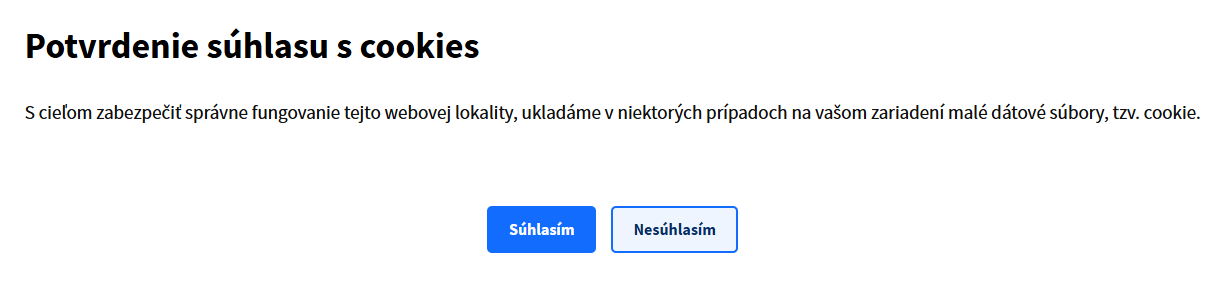
When VPDS opens, it asks to accept cookies (Potvrdenie súhlasu s cookies). The representative can click Súhlasím (I agree) or Nesúhlasím (I disagree).
1.1 Find A-Cube S.r.l.
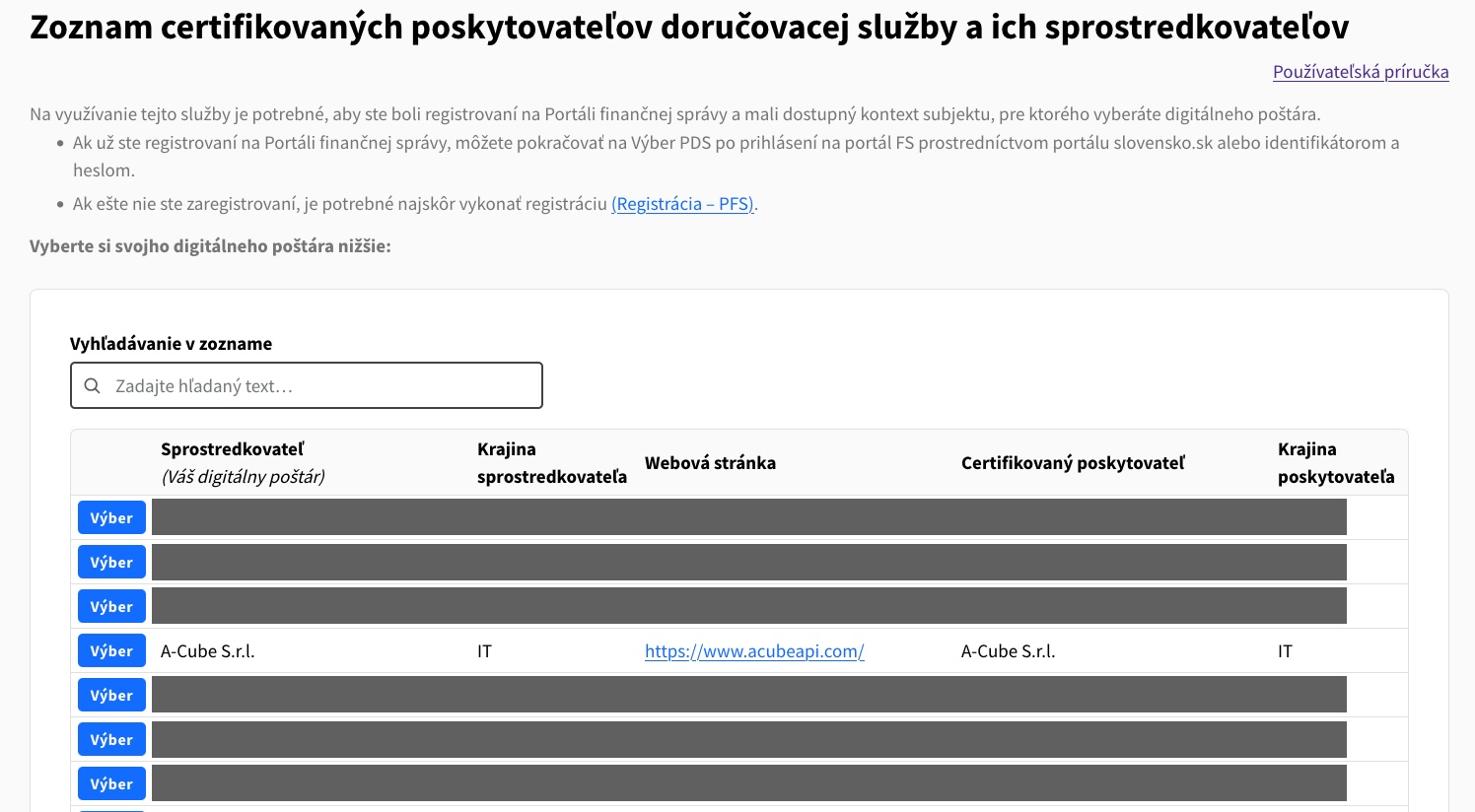
VPDS shows Zoznam certifikovaných poskytovateľov doručovacej služby a ich sprostredkovateľov (list of certified providers and their intermediaries).
The representative types A-Cube in Vyhľadávanie v zozname (search in the list) and clicks Výber (Select) on the row where Sprostredkovateľ (intermediary) and Certifikovaný poskytovateľ (certified provider) are both A-Cube S.r.l.
1.2 Check the provider
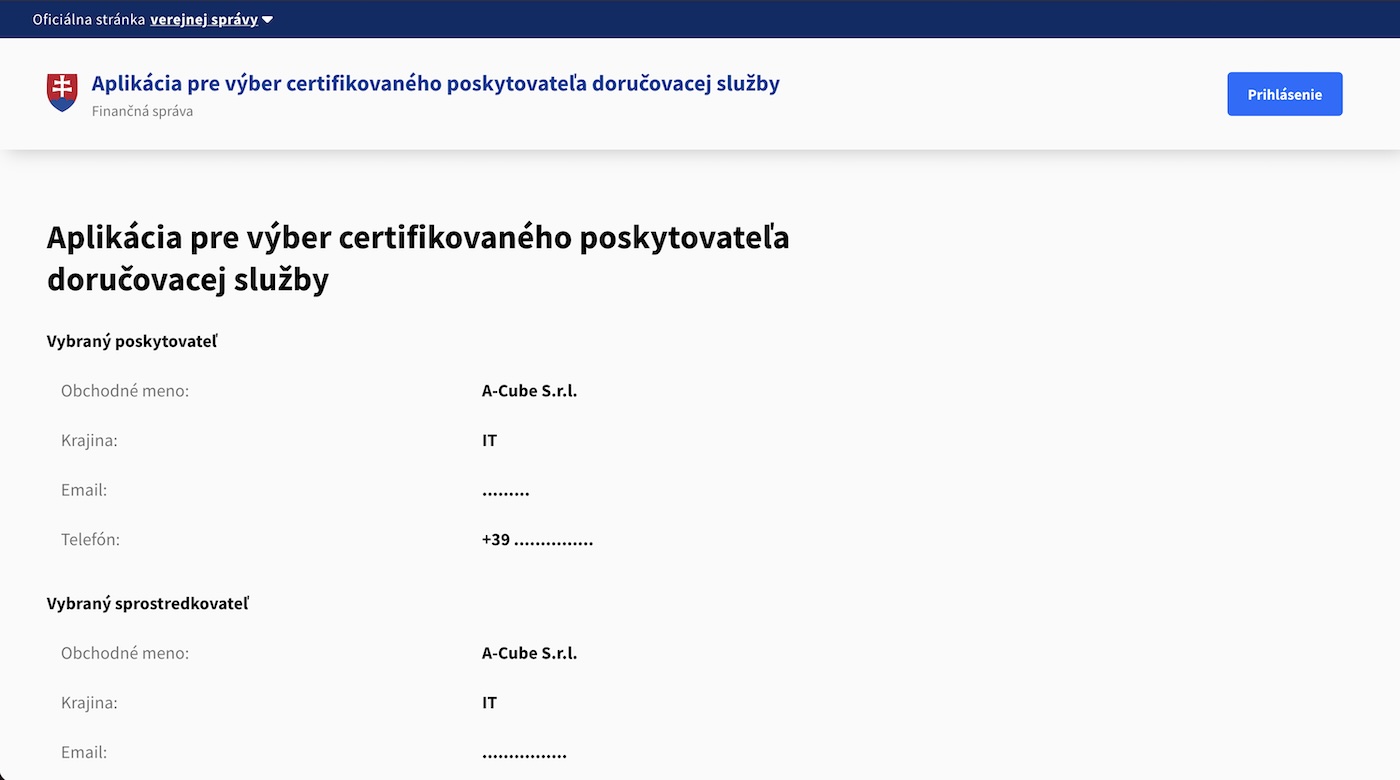
VPDS shows the selected provider (Vybraný poskytovateľ) and intermediary (Vybraný sprostredkovateľ). The representative checks that both are A-Cube S.r.l. and clicks Pokračovať (Continue).
1.3 Sign in
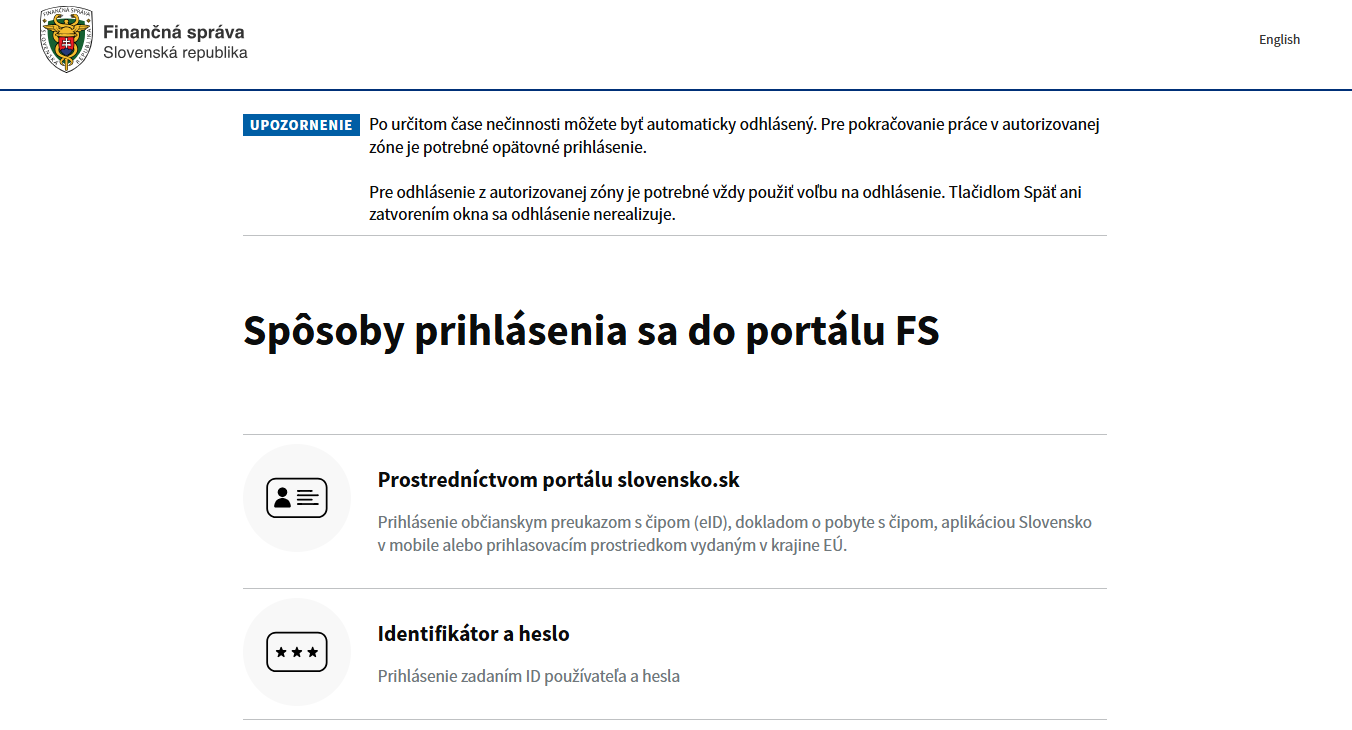
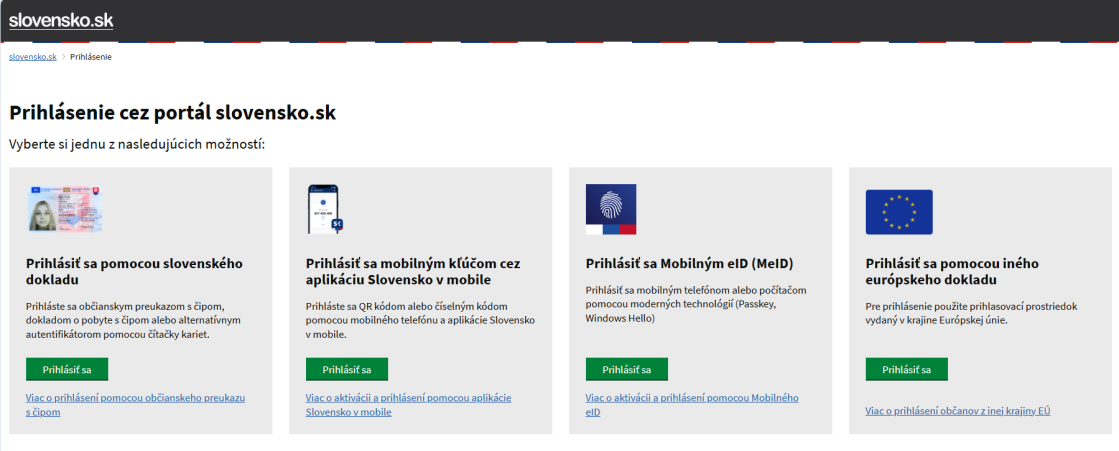
VPDS asks the representative to sign in to the PFS (Spôsoby prihlásenia sa do portálu FS, sign-in methods). They choose Prostredníctvom portálu slovensko.sk or Identifikátor a heslo: see A way to sign in.
With slovensko.sk, the representative chooses how to identify: Slovak document, Slovensko v mobile app, Mobile eID, or another European document (Prihlásiť sa pomocou iného európskeho dokladu).
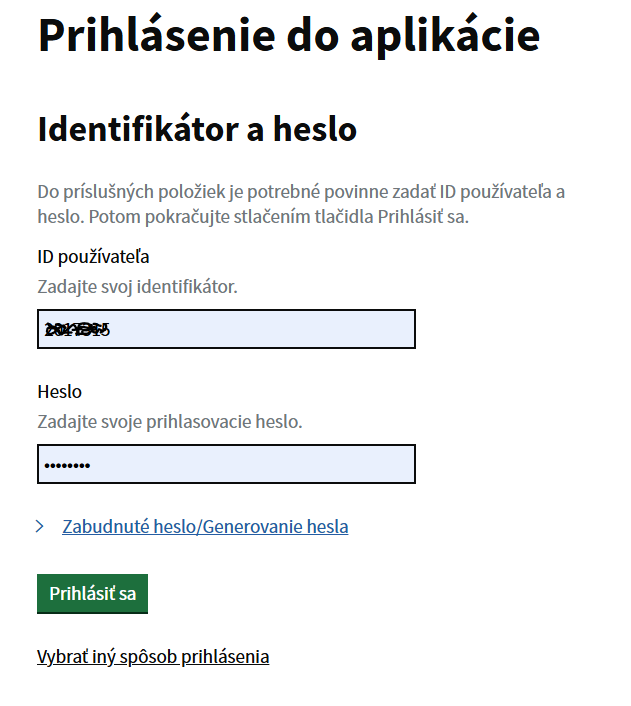
With Identifikátor a heslo, the representative enters the PFS user ID (ID používateľa) and password (Heslo) and clicks Prihlásiť sa (Sign in).
1.4 Give consent
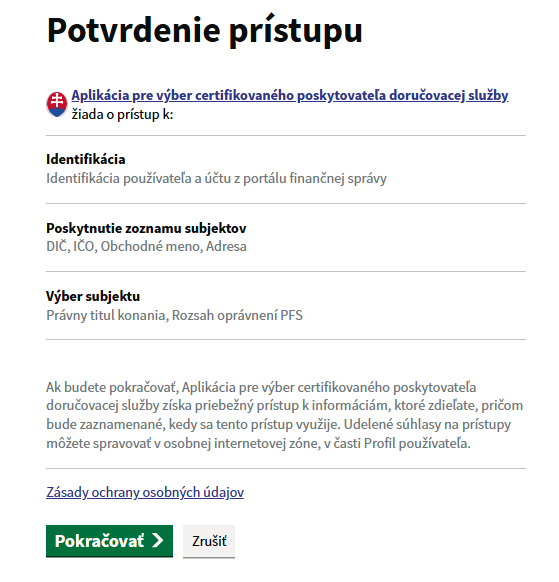
The first time the representative uses VPDS, it asks for access to their PFS data (Potvrdenie prístupu, access confirmation):
- Identifikácia: who the user is;
- Poskytnutie zoznamu subjektov: the list of companies the user can act for (DIČ, IČO, name, address);
- Výber subjektu: the legal title and the rights of the user for the selected company.
The representative clicks Pokračovať (Continue). Without this consent, the onboarding cannot continue.
1.5 Select the company
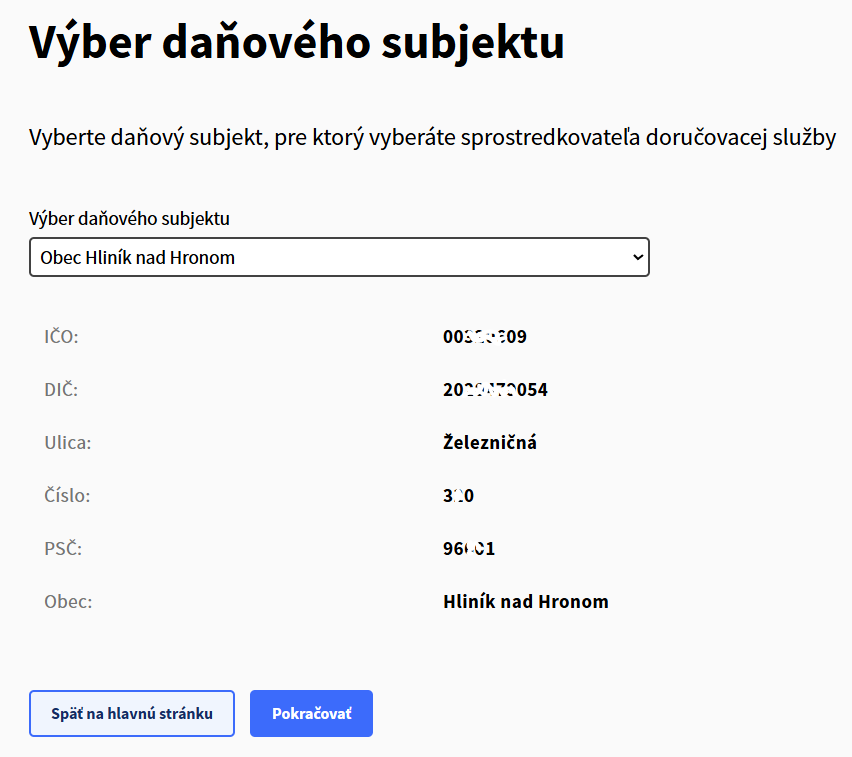
On Výber daňového subjektu (select the taxpayer), the representative chooses the company from the list. VPDS shows its IČO, DIČ and address.
The representative takes note of the DIČ: it is needed to register the Legal Entity in A-Cube. Then they click Pokračovať (Continue).
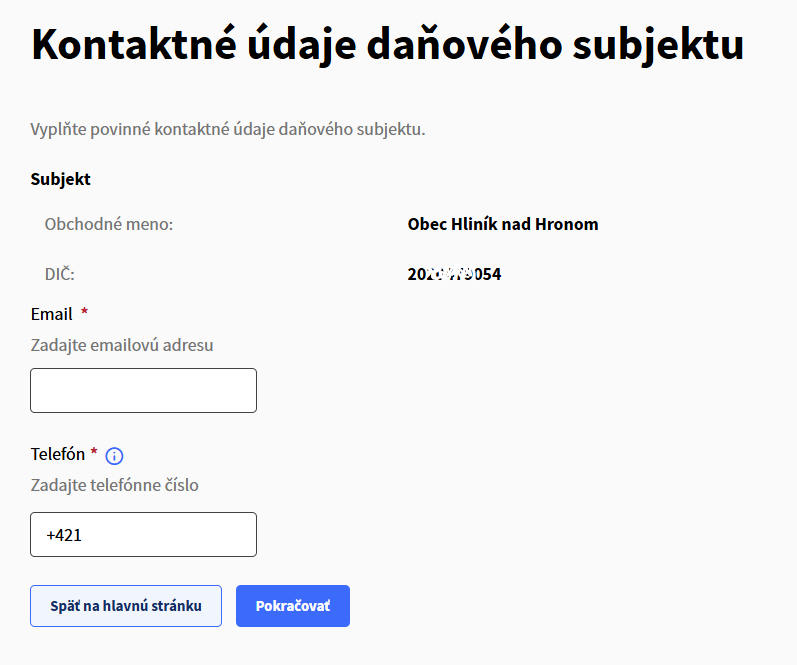
1.6 Enter the contact details
On Kontaktné údaje daňového subjektu (company contact details), the representative enters the company Email and Telefón (phone, in international format) and clicks Pokračovať (Continue). Both fields are required.
A-Cube sends its next email to this address, so it should be one the company reads.
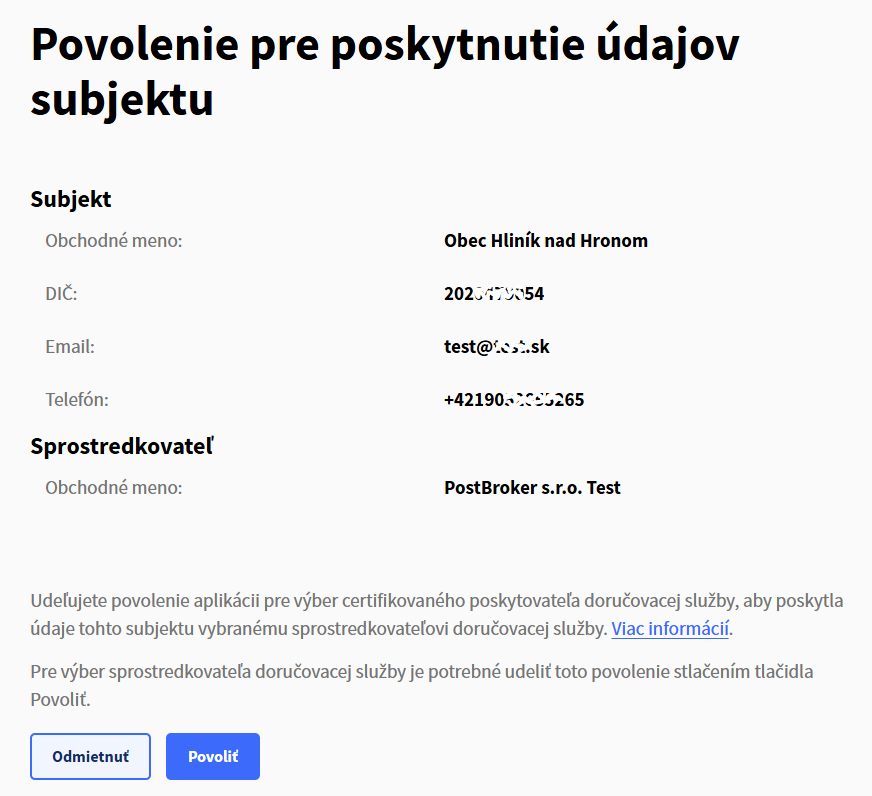
1.7 Allow data sharing
On Povolenie pre poskytnutie údajov subjektu (permission to share the company data), VPDS asks for permission to send the company data to A-Cube S.r.l.
The representative clicks Povoliť (Allow).
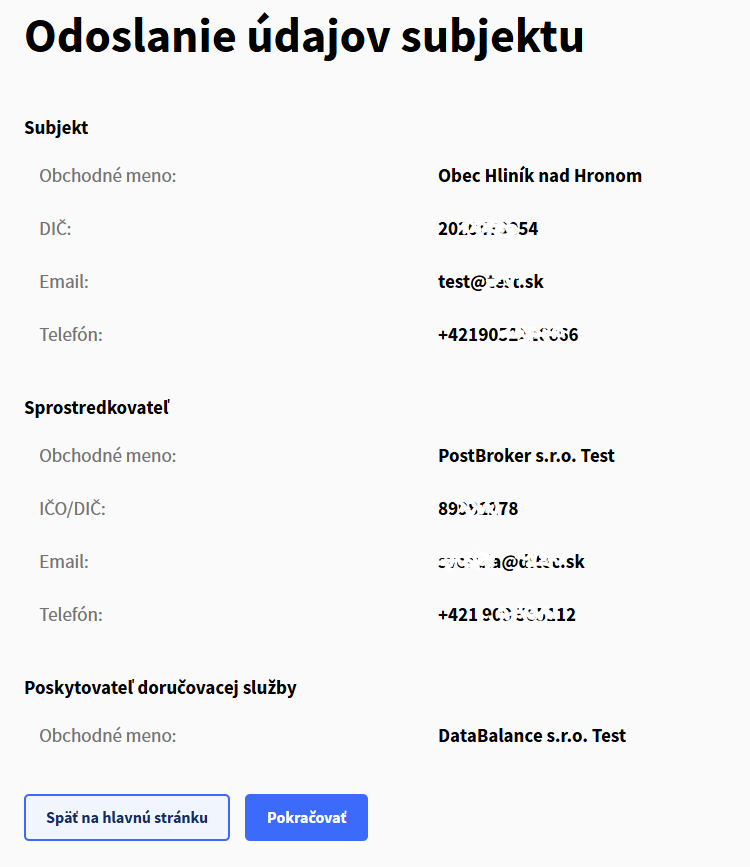
1.8 Review and send
Odoslanie údajov subjektu (send the company data) summarizes the company data and the selected provider. The representative checks the data and clicks Pokračovať (Continue).
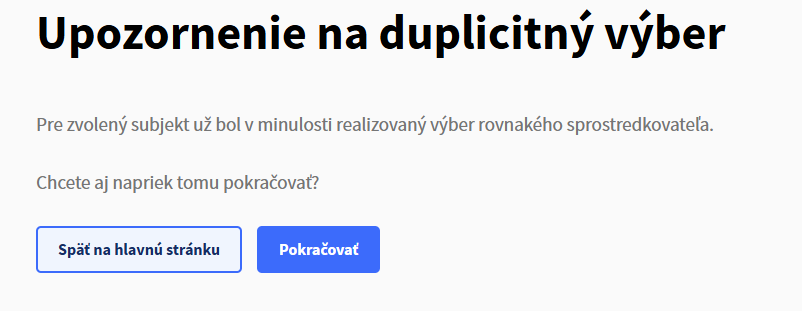
1.9 Confirm a repeated request
This screen appears only if the company already chose A-Cube S.r.l. before. Upozornenie na duplicitný výber (duplicate selection warning) asks whether to continue anyway.
The representative clicks Pokračovať (Continue).
1.10 Request sent
Potvrdenie odoslania (sending confirmation) confirms that the company data has been sent to A-Cube S.r.l. There is nothing else to do in VPDS.
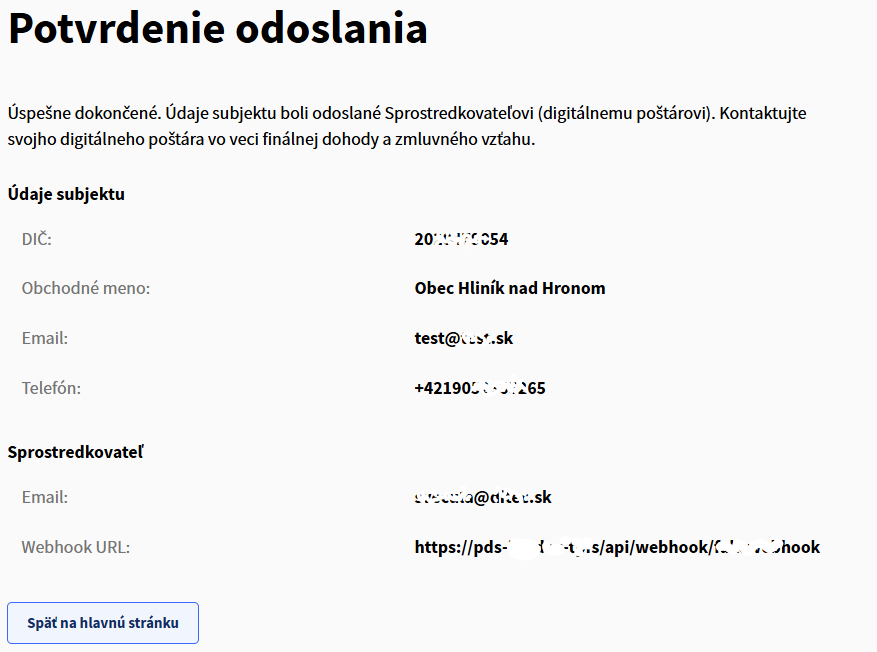
The Tax Authority also sends some messages to the representative: see Messages from the Tax Authority.
Step 2: Read the email from A-Cube
A-Cube receives the request and keeps the company data until the Legal Entity is registered in A-Cube.
A-Cube then emails the company, at the address entered in VPDS, with directions on how to complete the onboarding.
Step 3: Register the Legal Entity
Register the Legal Entity with the POST /legal-entities endpoint. The company can also register it in the A-Cube dashboard.
Use as taxId the same DIČ that was chosen in VPDS.
{
  "taxId": "5555444444",
  "ico" : "55555349",
  "icDph": "SK5555444444",
  "name": "A-Cube Test Company",
  "email": "test@acme.test",
  "phoneNumber": "+421900000000",
  "country": "SK",
  "address": "Staromestská 123",
  "city": "Bratislava",
  "zipCode": "811 06",
  "config": {
    "supplierInvoiceEnabled": true,
    "customerInvoiceEnabled": true
  }
}
A-Cube finds the request received from VPDS, registers the company in the Peppol network and completes the onboarding right away.
The response has status ONBOARDED, and finalizeOnboardingUrl is null: there is no link to share.
{
  "uuid": "01a047df-a310-75f9-8176-b9370c82a850",
  "taxId": "5555444444",
  "ico": "55555349",
  "icDph": "SK5555444444",
  "status": "ONBOARDED",
  "name": "A-Cube Test Company",
  "email": "test@acme.test",
  "phoneNumber": "+421900000000",
  "country": "SK",
  "address": "Staromestská 123",
  "city": "Bratislava",
  "stateOrProvince": null,
  "zipCode": "811 06",
  "finalizeOnboardingUrl": null,
  "createdAt": "2026-08-28T10:17:13+00:00",
  "updatedAt": "2026-08-28T10:17:13+00:00",
  "config": {
    "supplierInvoiceEnabled": true,
    "customerInvoiceEnabled": true
  }
}
The response can also have a different status:
ONBOARDING_FAILED: A-Cube could not complete the onboarding. Send thefinalizeOnboardingUrlto the representative, who goes through VPDS again as described in Confirm A-Cube in VPDS.TO_BE_ONBOARDED: A-Cube did not find a VPDS request for this DIČ. Check that it is the DIČ chosen in VPDS, then continue from Share the onboarding link.
After onboarding
When the onboarding is complete, the Legal Entity is ONBOARDED: see After onboarding.
Errors and retries
Until the Legal Entity is registered in A-Cube, it has no A-Cube status, and the representative retries from vpds.financnasprava.sk. After that, they retry with the onboarding link (finalizeOnboardingUrl).
For the errors shown in VPDS, see Errors and retries. These cases apply only when the onboarding starts in VPDS:
| What happens | A-Cube status | What to do |
|---|---|---|
| The Legal Entity was registered in A-Cube, but A-Cube could not complete the onboarding. | ONBOARDING_FAILED | Open the onboarding link (finalizeOnboardingUrl) and go through VPDS again. On the duplicate selection warning, click Pokračovať. |
| The Legal Entity registered in A-Cube is not onboarded. | TO_BE_ONBOARDED | A-Cube did not find a VPDS request for this DIČ. If the DIČ is wrong, delete the Legal Entity and register it again with the right DIČ. Otherwise, open the onboarding link and go through VPDS again. |
| The representative received the Neúspešné odoslanie webovej notifikácie… message before the Legal Entity was registered in A-Cube. | No Legal Entity yet | Go through VPDS again from vpds.financnasprava.sk. On the duplicate selection warning, click Pokračovať. If it fails again, contact A-Cube support. |