E-Document Service
The setup of the E-Document Service can be found over the search function in Business Central. Create a new E-Document Service, and for using A-Cube:
- Select PEPPOL BIS 3.0 for the document format
- Select A-Cube for Service Integration
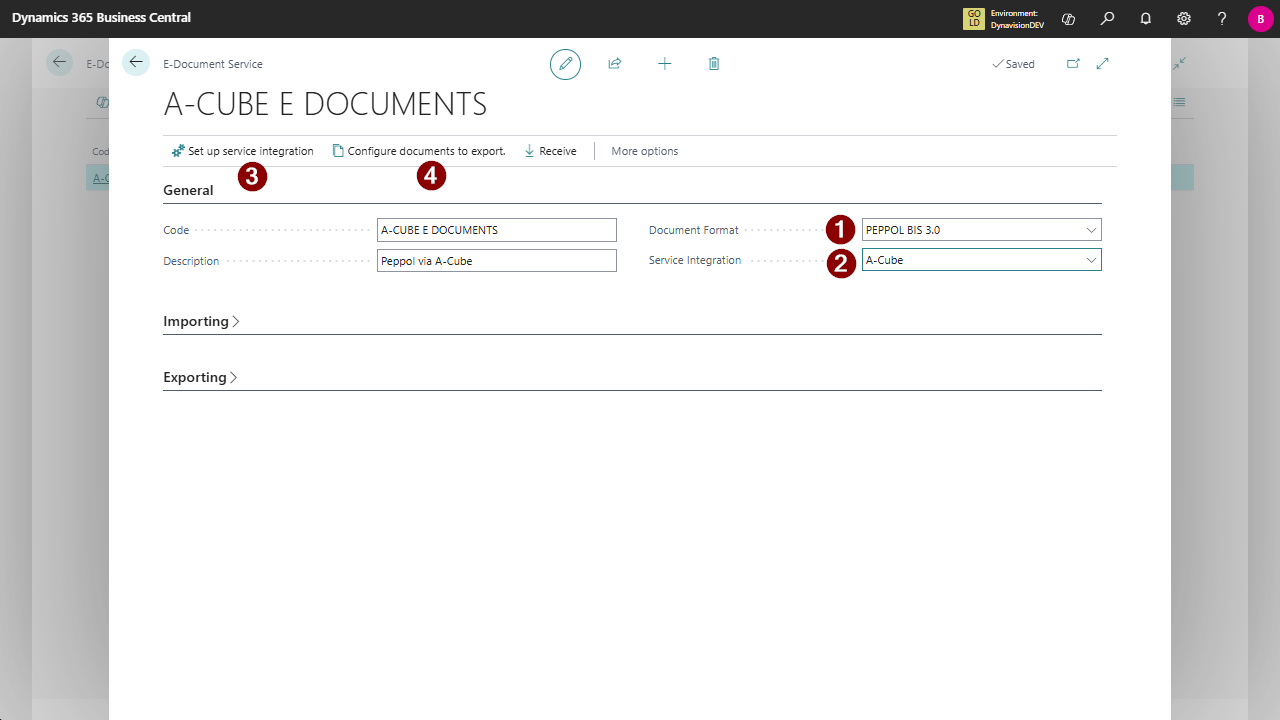
- Set up service integration In this Setup the connection to A-Cube is defined. This requires the account is e xisting in the A-Cube Platform.
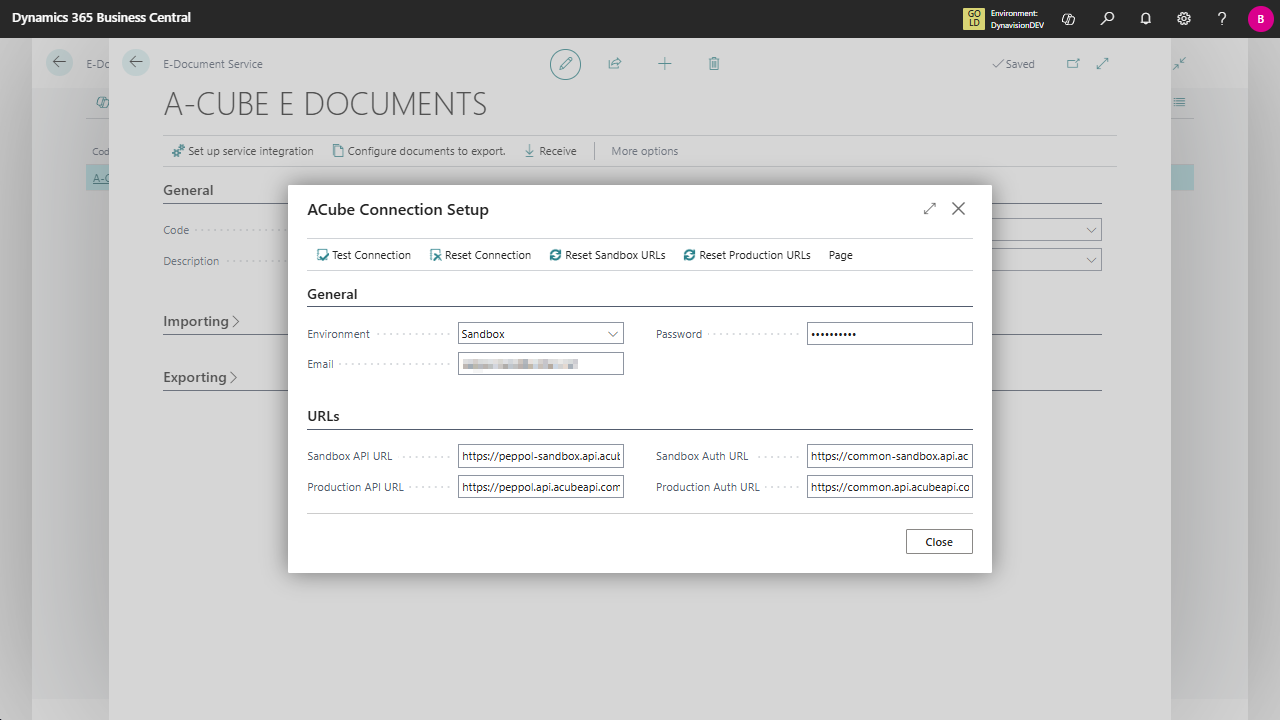
General
- Environment: Production / Sandbox (defines if you connect to the Production or Sandbox of A-Cube Platform
- Email & Password: credentials of the A-Cube Platform
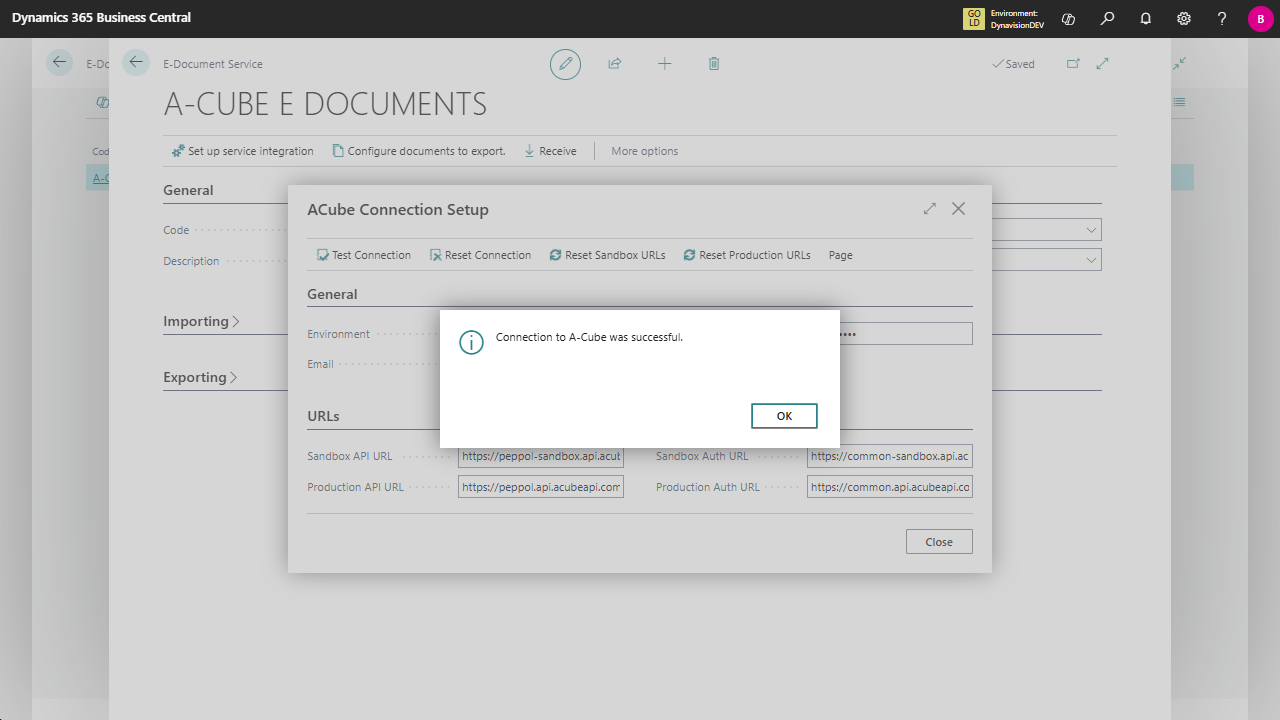
- Over the action Test Connection in the ribbon, you can test if the connection works
URL’s
The correct URL’s for connection with the A-Cube Platform, the values are prefilled, if needed a reset to the default URL’s is available in the ribbon
- Configure documents to export In this list you can select the Document Types to be used by the Service
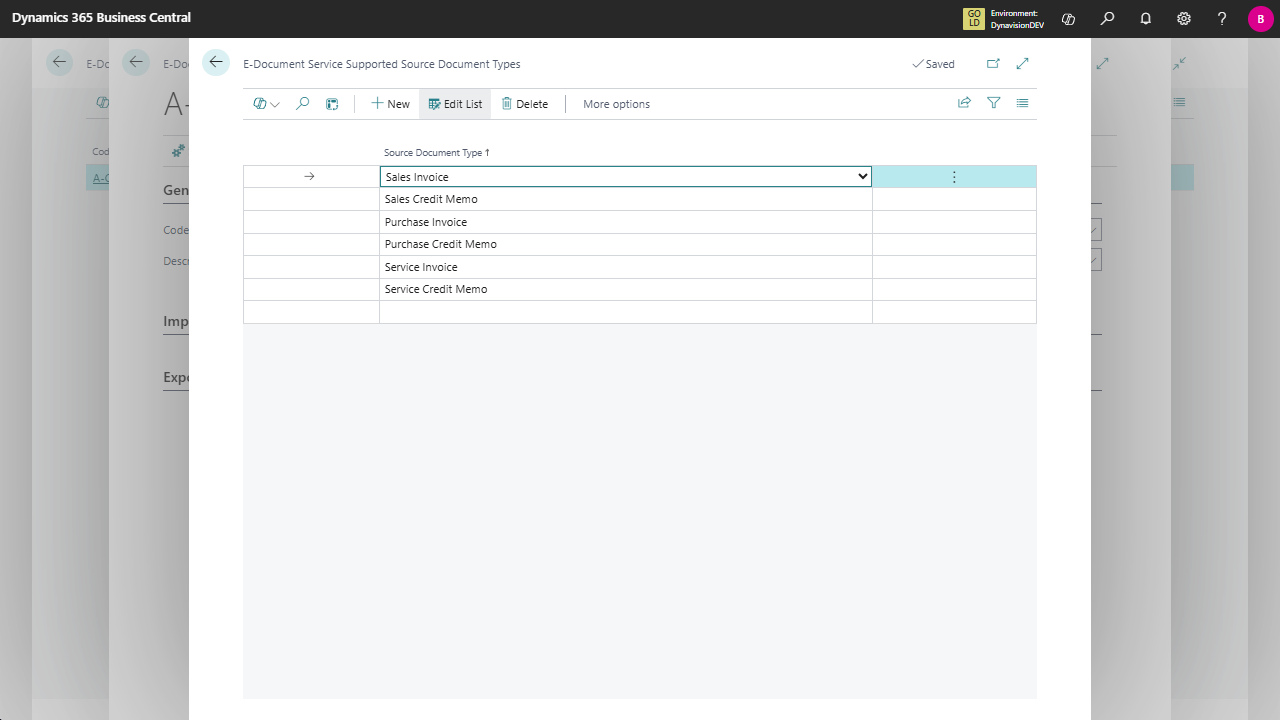
Supported Documents
Outgoing:
- Sales Invoice
- Sales Credit Memo
- Service Invoice
- Service Credit Memo
Incoming:
- Purchase Invoice
- Purchase Credit Memo
Note: this is standard setup of the E-Documents framework, the documentation can be found on: E-documents overview - Business Central | Microsoft Learn.